

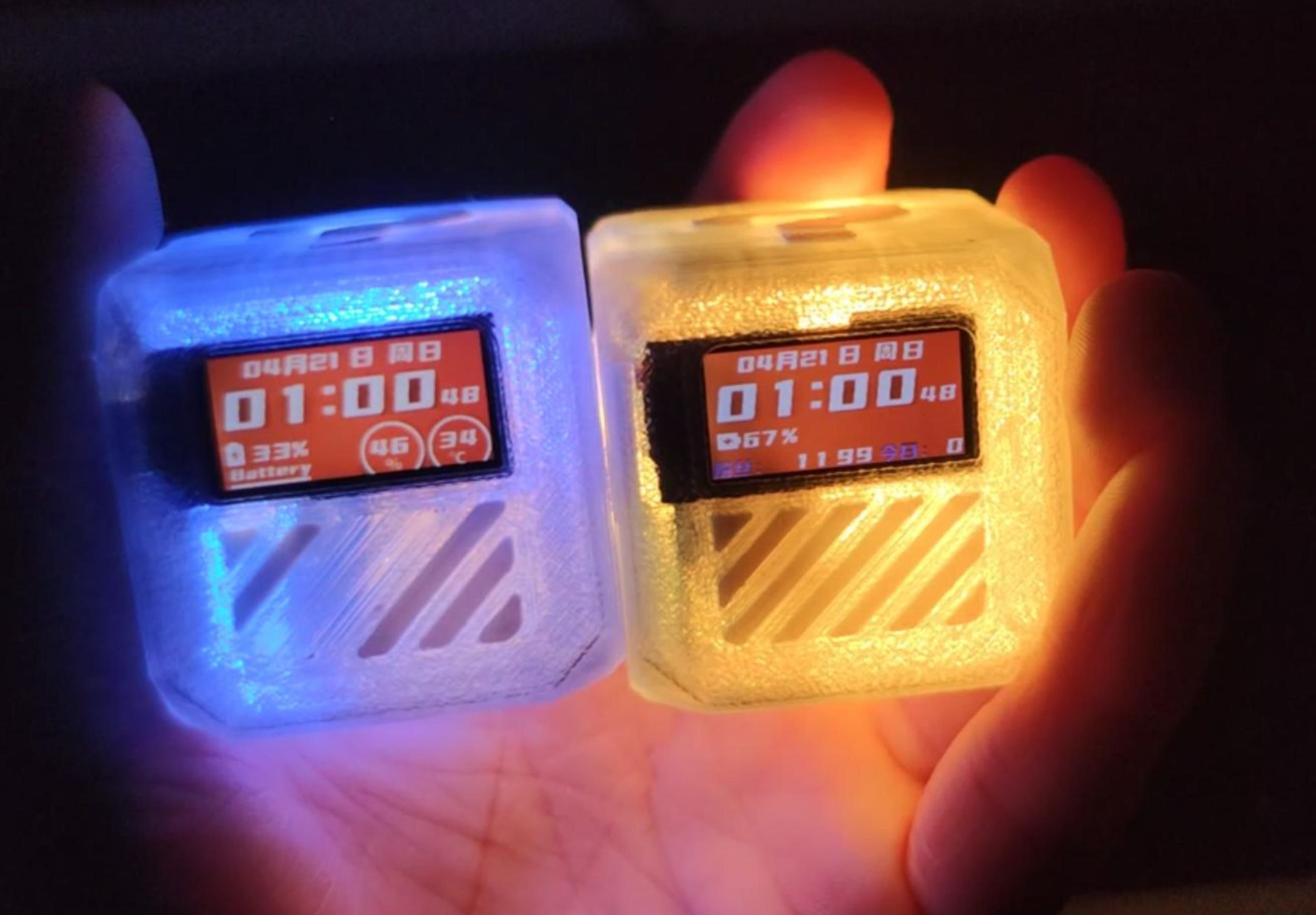
 Completed
Programmable timer - electronic wooden fish - full color night light _Timer_Z
PRO Programmable timer - electronic wooden fish - full color night light _Timer_Z
License
:CC BY-NC-SA 3.0
Description
1. Update log
First released on 2023.12.21, named: Timer_Z:
2023.12.25 Add hardware version identification, automatically match whether there is a temperature version (needs to write the hardware to the local when leaving the factory) ; fix the problem that the electronic wooden fish returns to no picture after exiting; improve the non-clock and timer, automatically shut down when not in use, Improve battery life; improve DIY countdown function;
2024.04.22 (Major upgrade) Version number: TimerZ_V1.0.1 :
2. Function introduction
1. Timer function
1) Rubik's Cube Timing: Through gravity induction, the four directions are set with 5/25/30/60 minute countdown functions. When the screen is facing up, the timing is paused, otherwise it resumes and continues timing; when the orientation changes, the countdown is restarted, and the countdown ends, rgb , vibration and buzzer reminders, tap to switch between silent and vibration reminders.
2) Pomodoro timer: time according to the Pomodoro method. (not perfect)
3) Countdown: You can customize the countdown length in units/minute.
4) Counterclocking: Place it in four directions to display different countdown styles. Stop timing with the screen facing up.

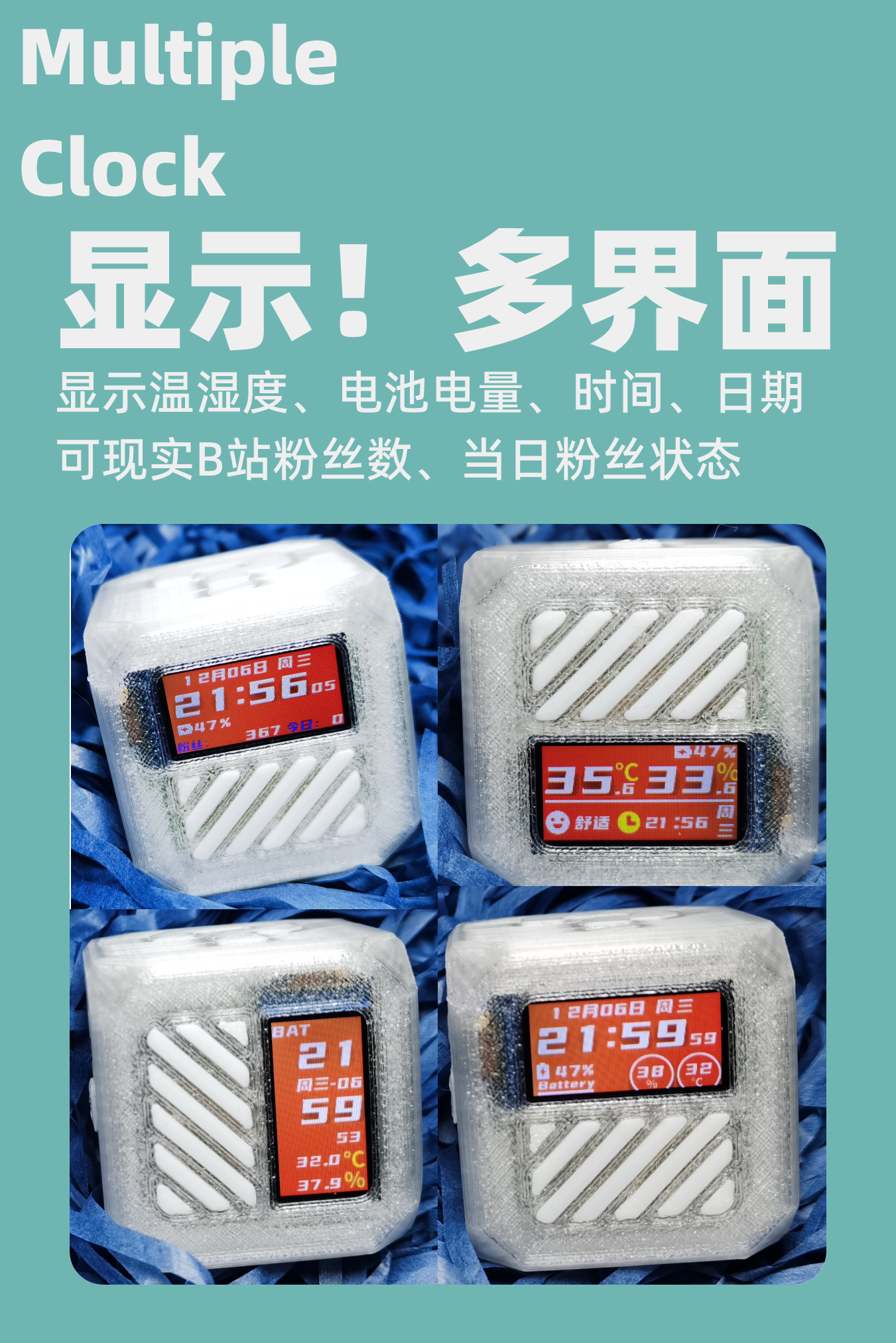
2. IoT clock, fan counter, thermometer
1) Fans of Station B (online): Monitor the number of fans of Station B in real time. It can display the current number of fans and the increase or decrease of fans on that day; when the number of fans increases, the buzzer will beep for one second; when the fans are lost, the buzzer will beep three times.
2) Regular clock (offline): After turning on the computer and connecting to the Internet, it will automatically disconnect after obtaining the network time, and the battery life in offline mode can be increased by half.
3) Temperature and humidity meter: External temperature and humidity sensor to reduce the impact of the temperature warehouse on temperature.
3. Electronic wooden fish
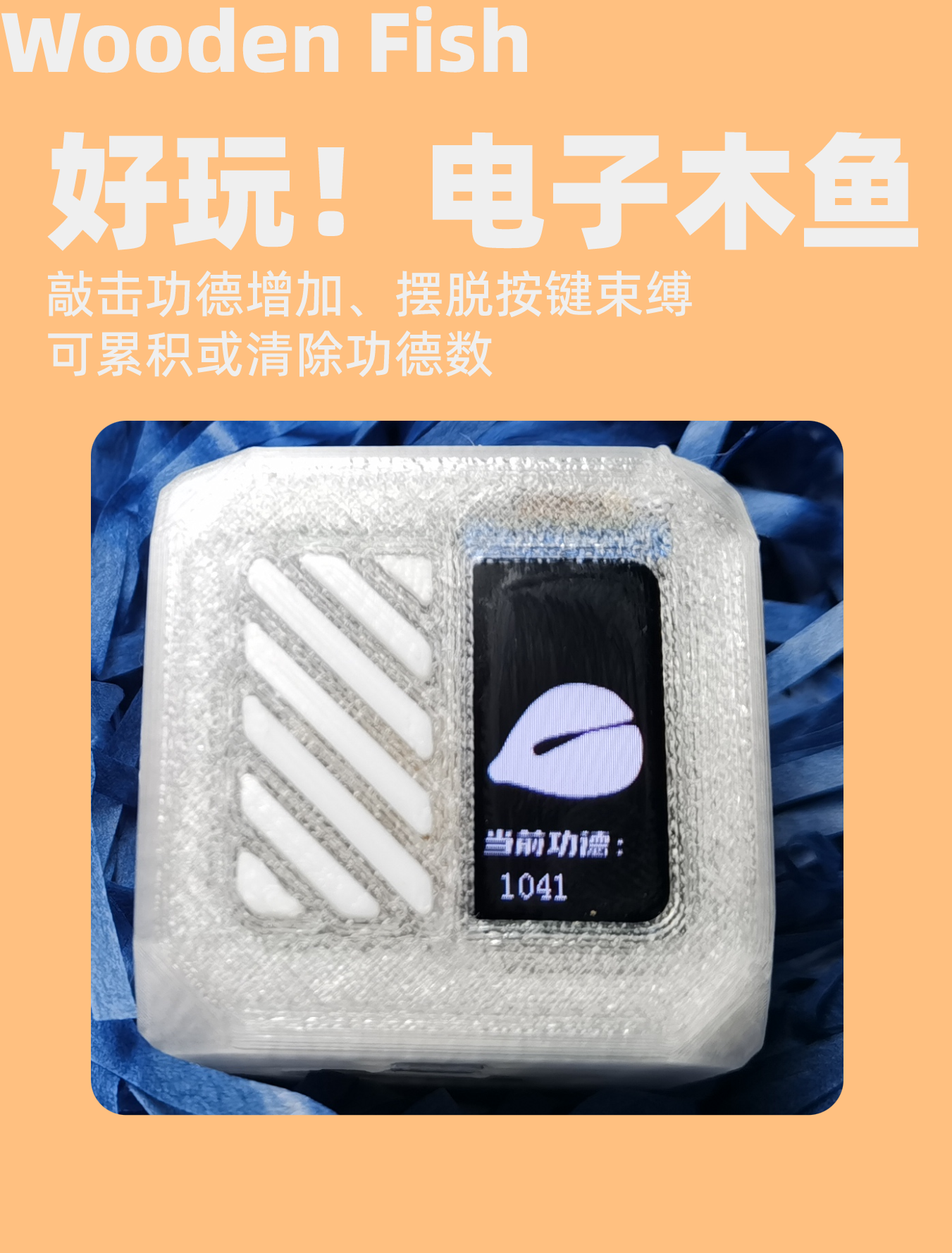
1) Reset to zero: You can reset the current merit number to zero, save the function when power is off, and accumulate the function.
2) Accumulation: You can tap it with an object or hand. If you tap it once, the merit will be +1.
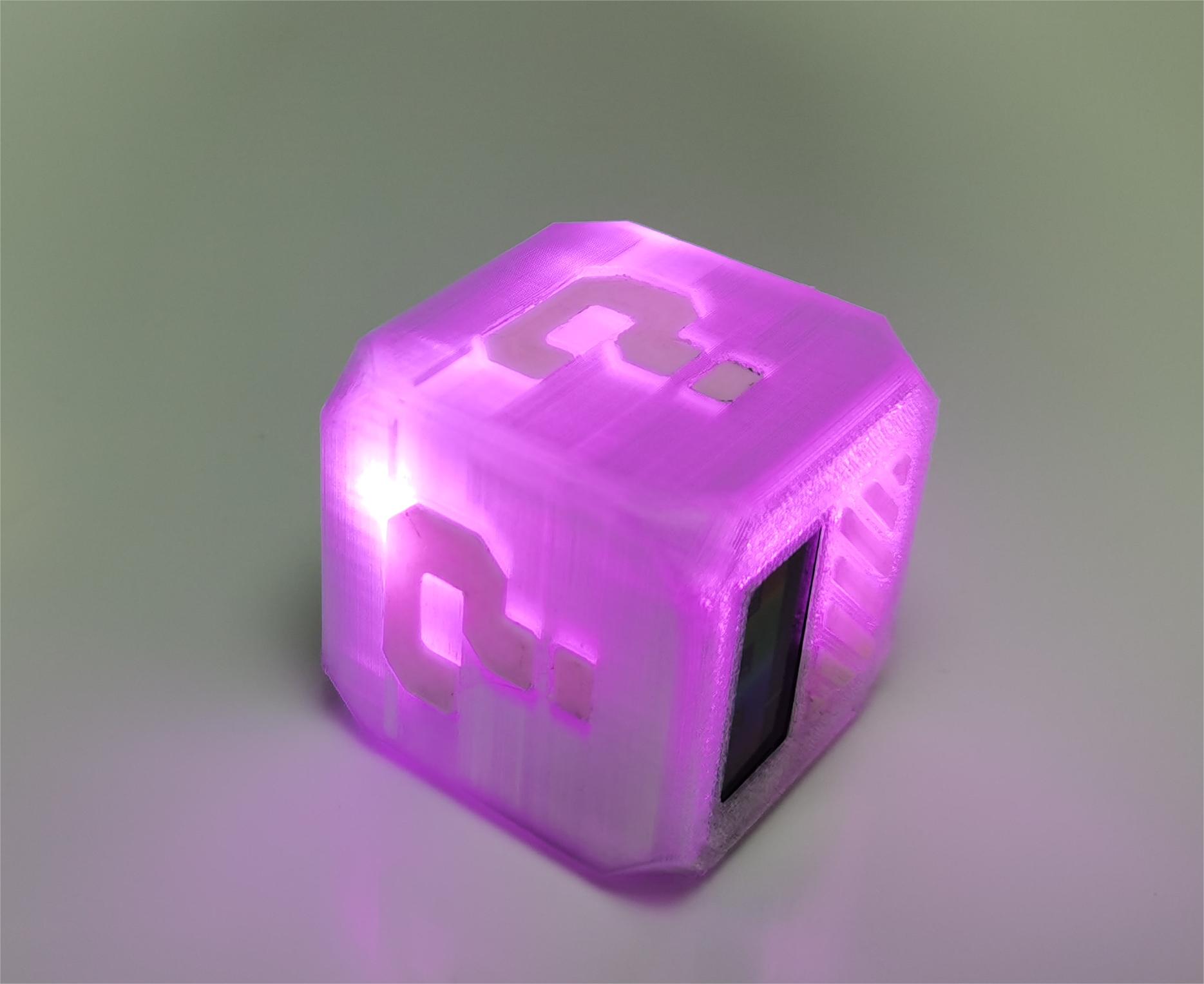
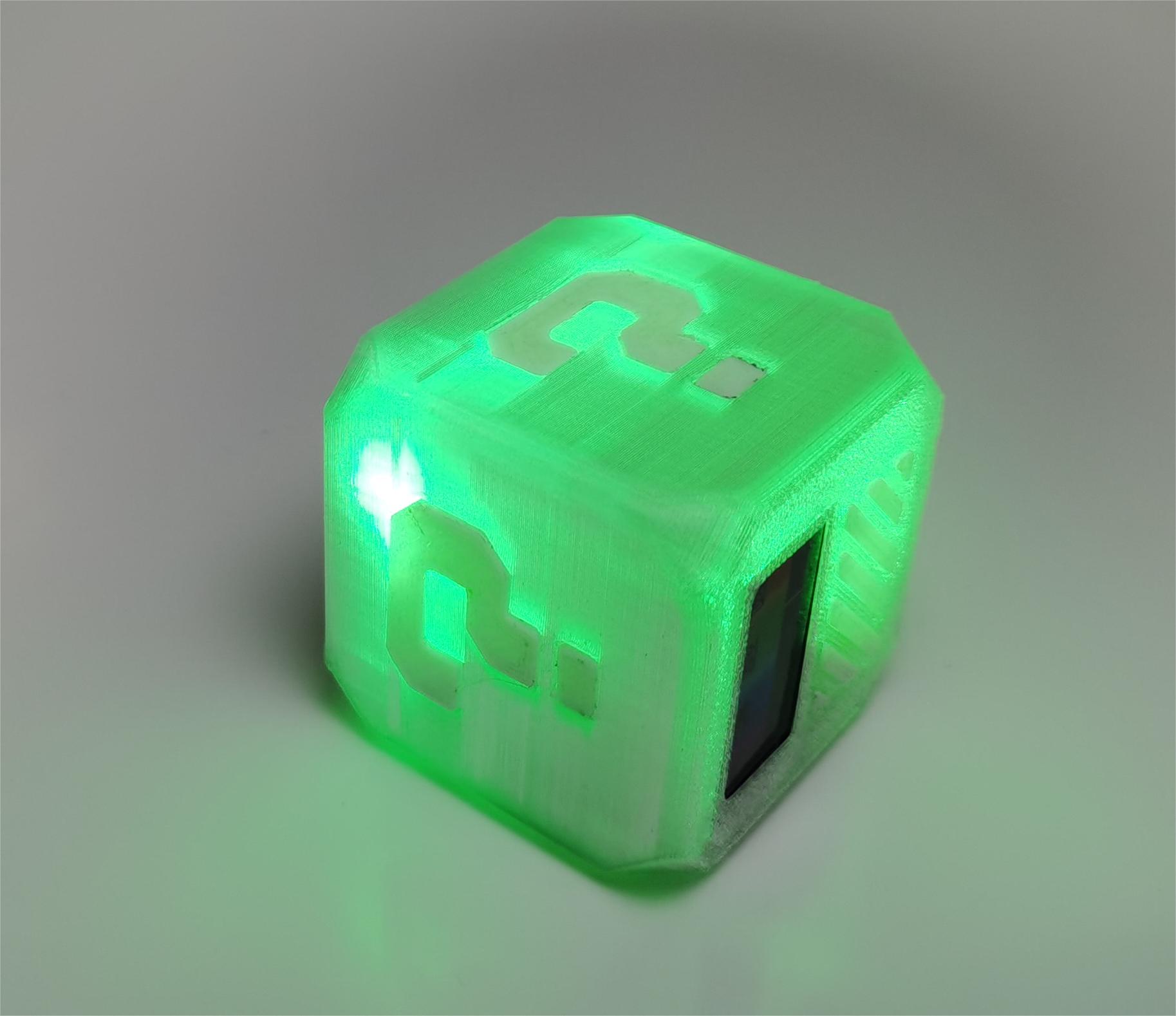
4. Full color night light
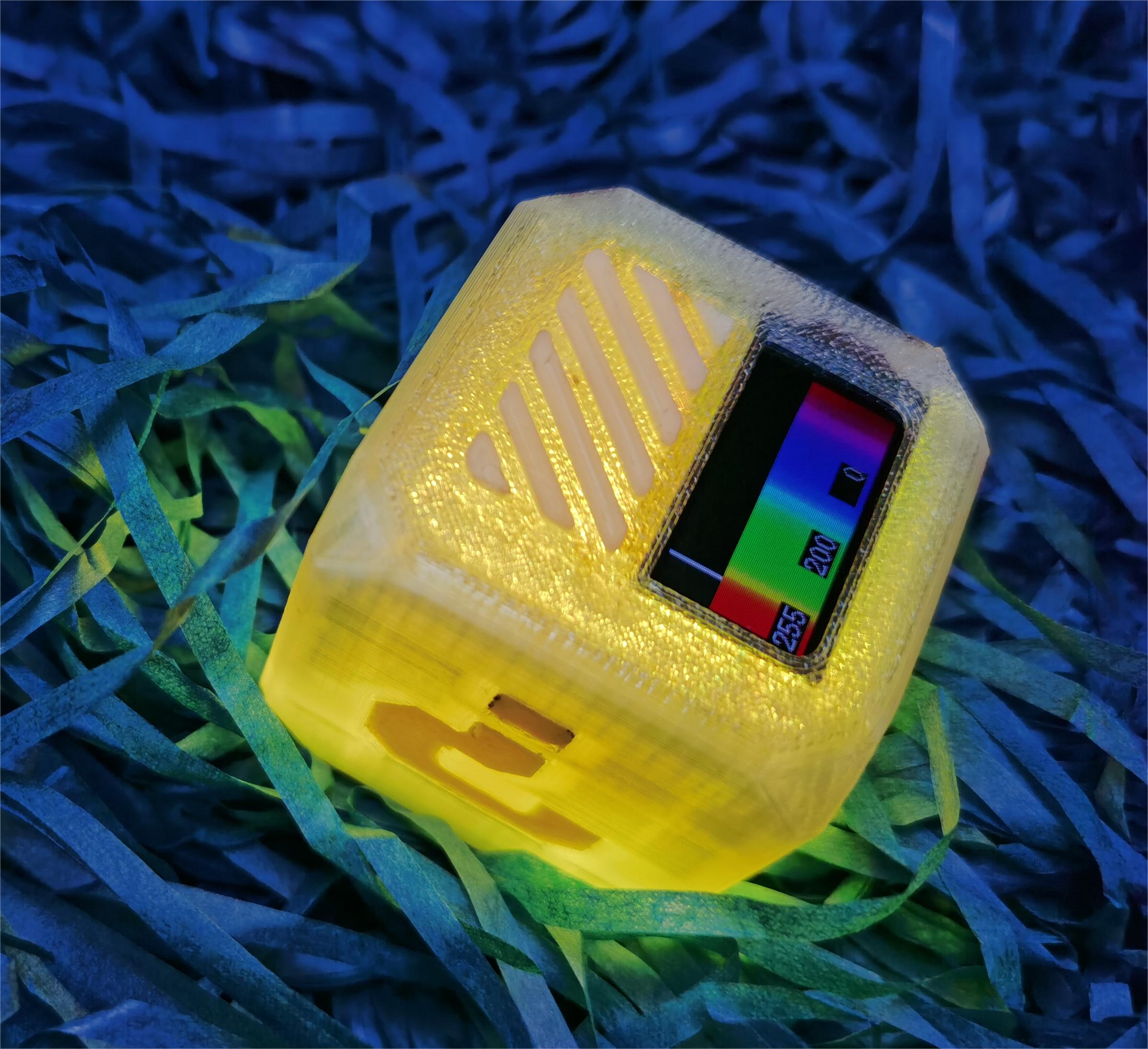
1) Simulation scenes: breathing lights, flames, lightning, gradient colors and other scenes. (Improve some temporarily and gradually improve)
2) HSL mode: Intuitively modify H\S\L values (not perfect) and RGB control, built-in 3RGB.

5.Magnetic back cover
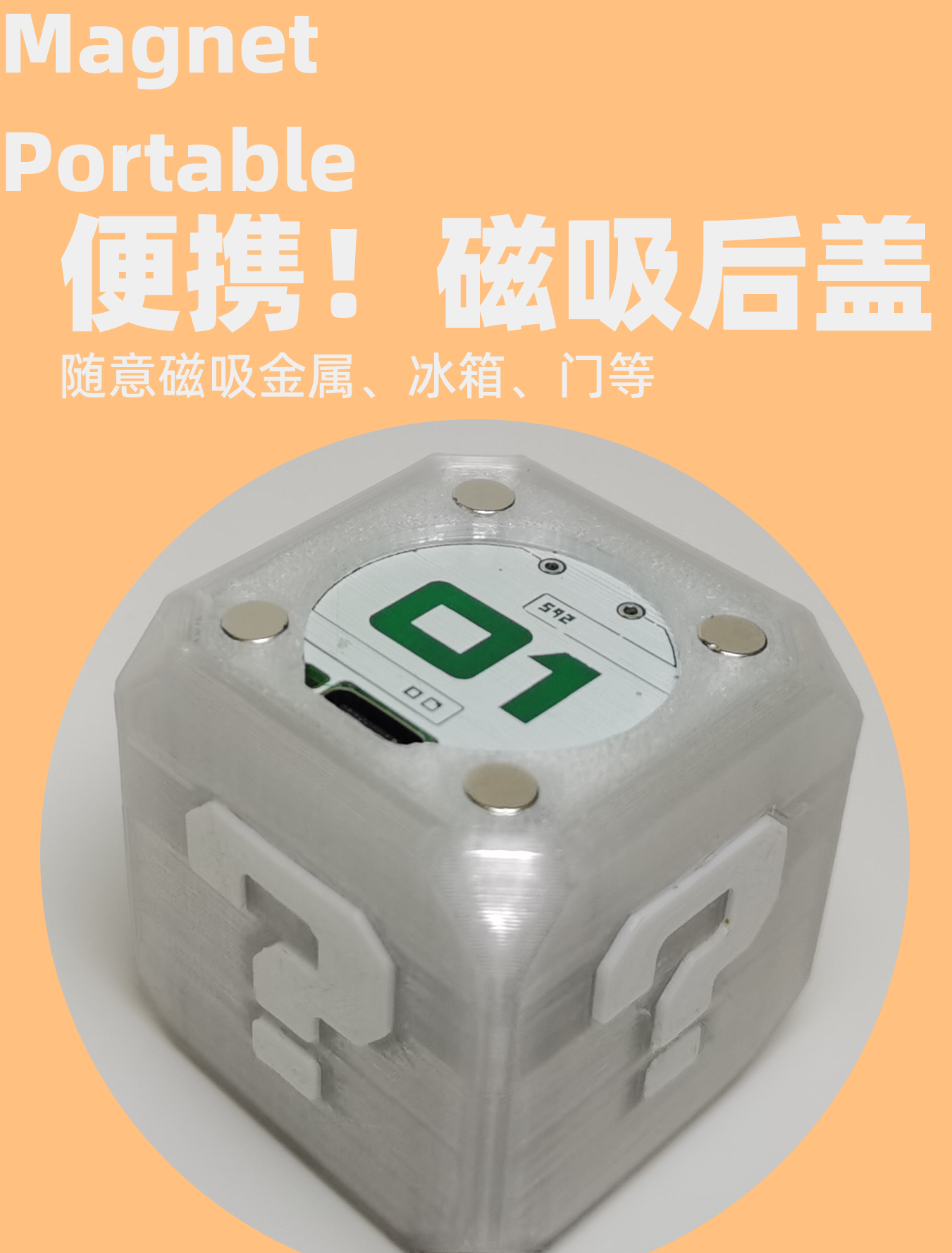
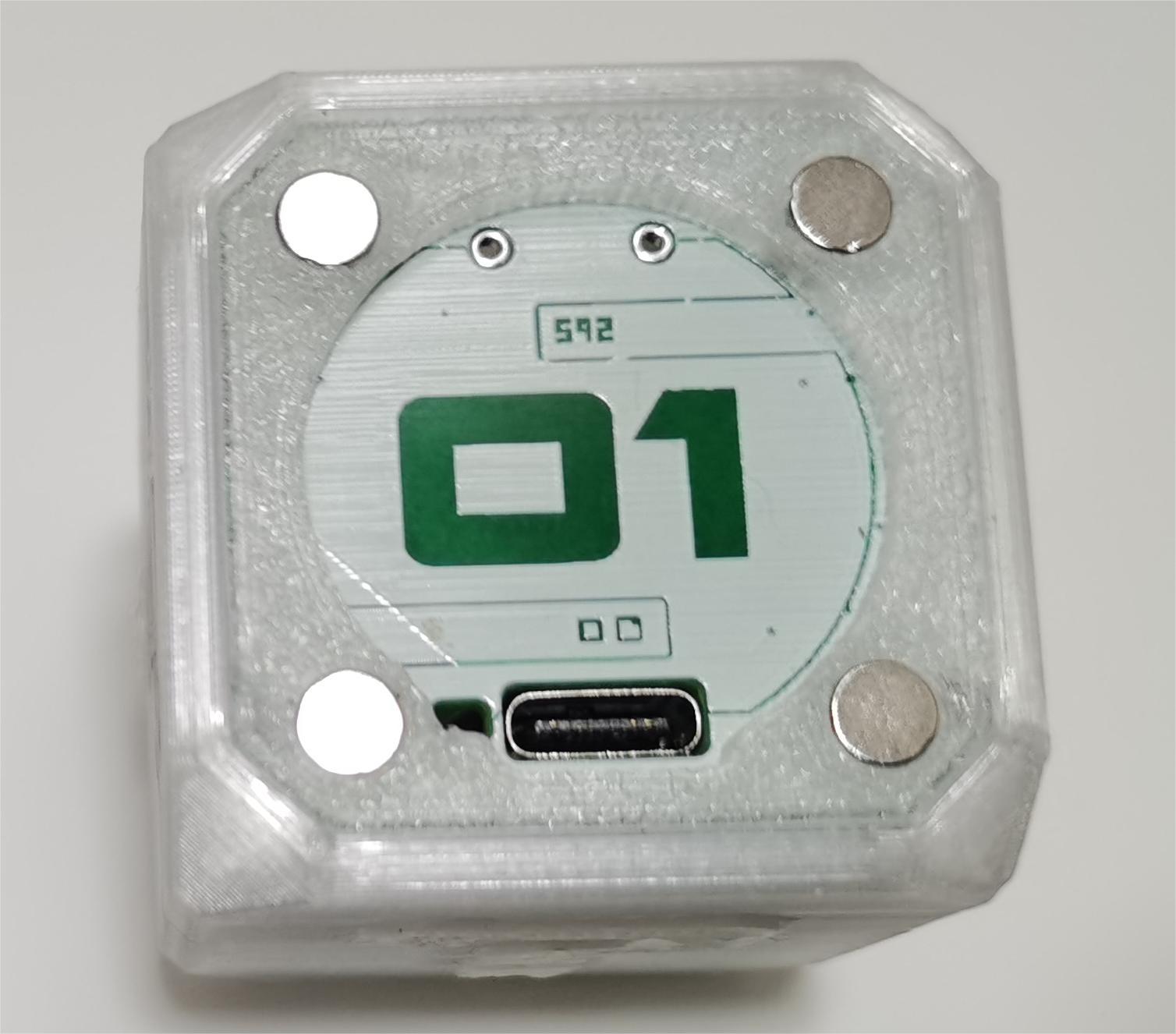
1) Suction at will: 4 strong magnets are embedded on the back, which can absorb metals such as refrigerators and doors.
6. Settings (picture not updated)
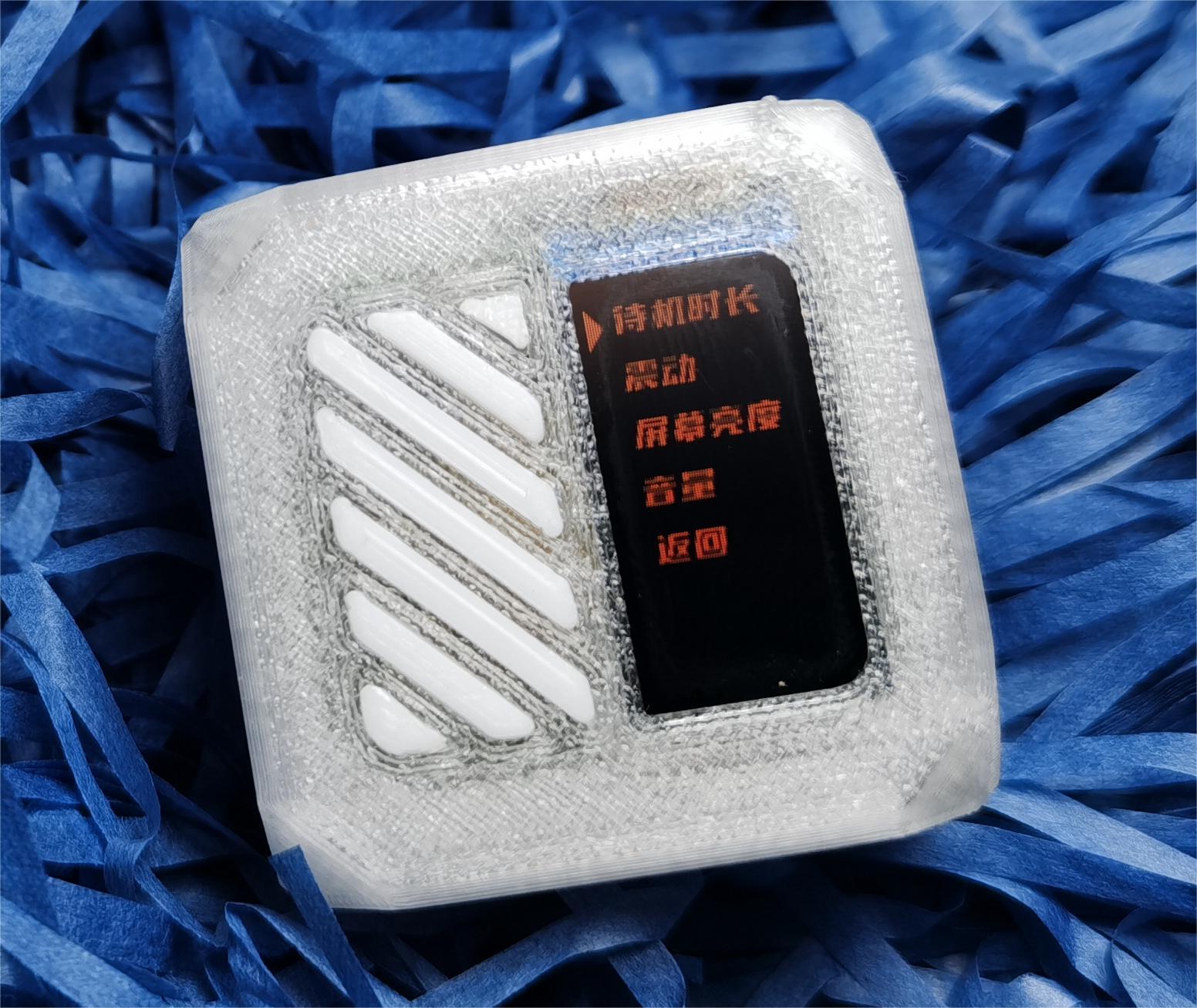
1) Standby time: Set the standby time. Except for some functions, it will automatically shut down when it is stationary.
2) Vibration: The vibration size can be set in the range of 0-100%.
3) Screen brightness: The brightness range can be set from 0-100%.
4) Volume: 0-100% buzzer size can be set.
5) Distribution network: You can set whether to enter the distribution network when booting.
6) Factory reset: Restore factory settings.
7. Others (picture has not been updated)
1) Computer monitor: can monitor computer CPU, hard disk, RAM, etc. in real time. (Need to be used with the host computer)
2) Vibration alarm: Set the trigger value, and the light will alarm after the upper limit is triggered. (to be improved)
3) Serial port transparent transmission: display serial port printing (to be improved)
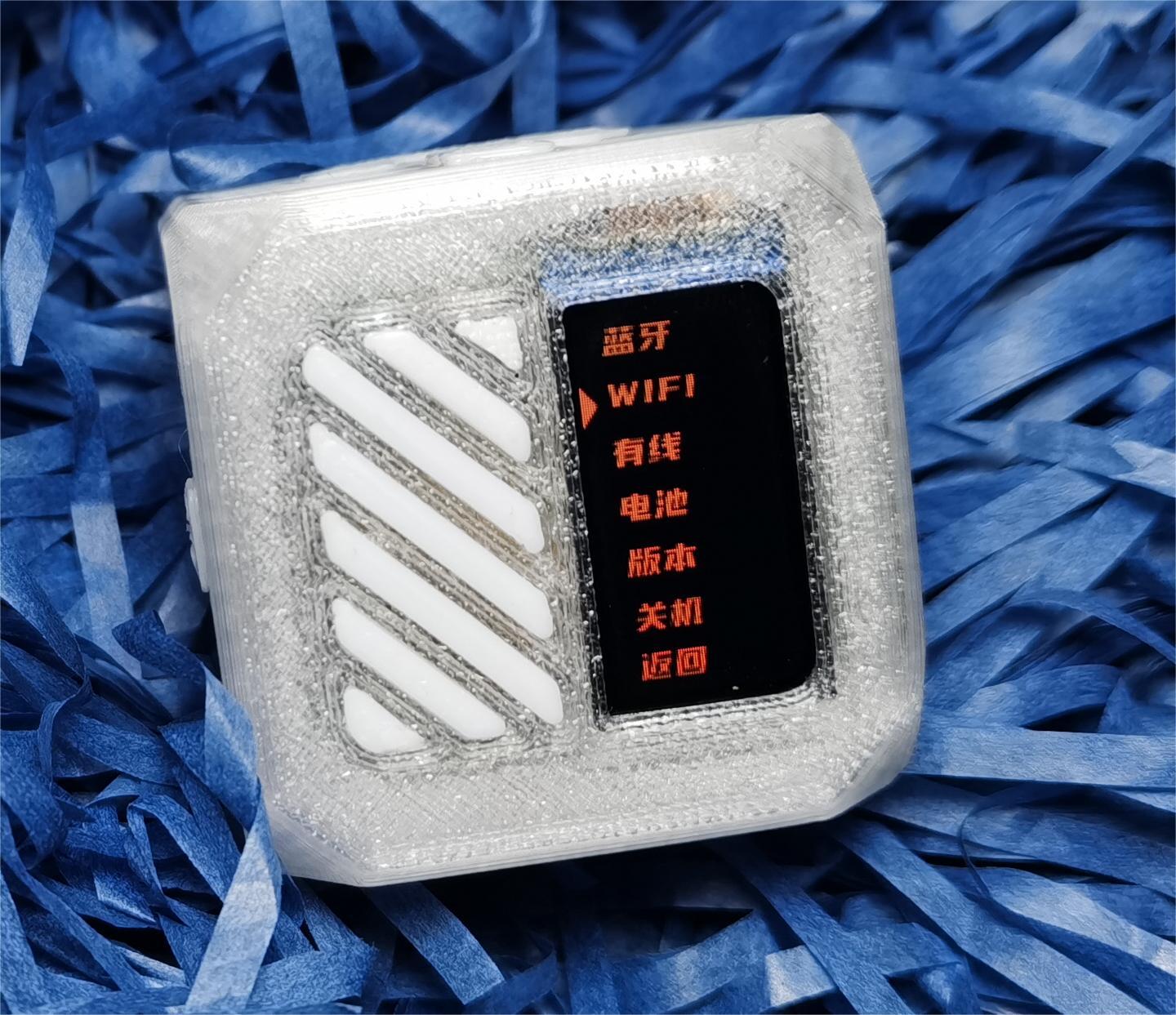
4) WIFI: Through the computer host computer, real-time monitoring of temperature and humidity, number of fans, battery voltage and power, and binding of personal B station IP.
5) Bluetooth: (not perfect)
6) Battery: Check the current power and battery voltage.
7) Version: View hardware and software versions.
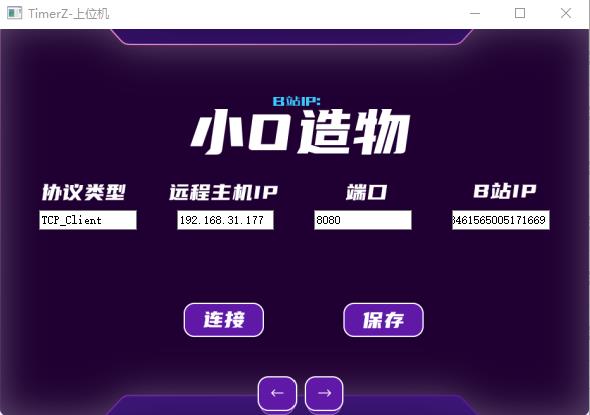
8.Host computer
You can bind your personal Bilibili IP and view system parameters. More functions are not yet complete.

3. Hardware and schematic diagram
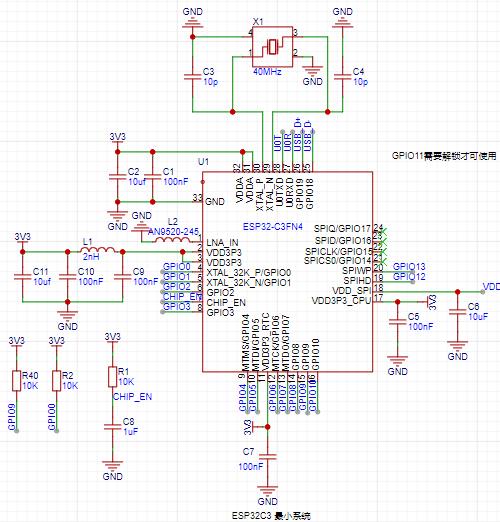
1. Main control circuit
The main control adopts ESP32C3FN4. The chip integrates USB, wifi and Bluetooth. The circuit is simple. The peripheral only requires a 40Mhz crystal oscillator. It can work with a simple resistor and capacitor. It eliminates the need for the ch340 serial port module and can realize USB download and serial port communication. It can be used as a novice development board.
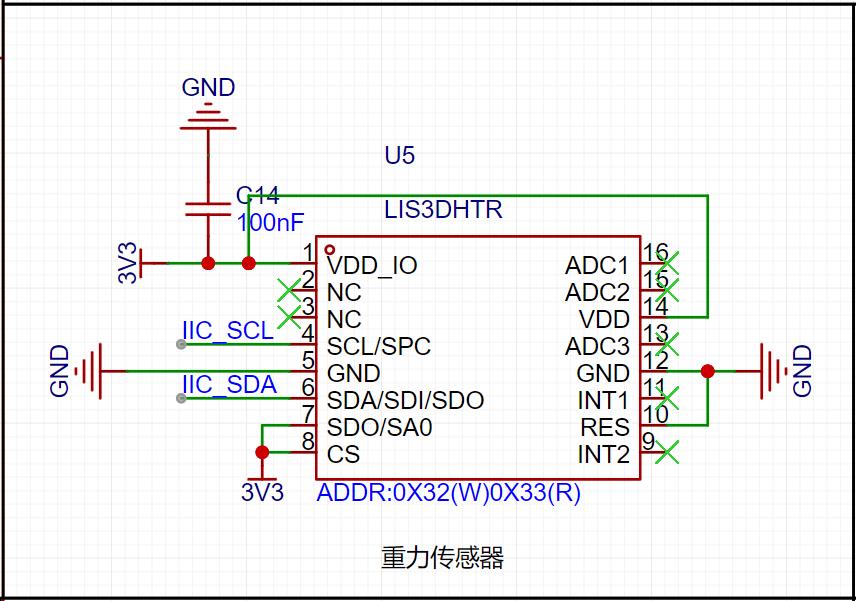
2. Gravity sensing circuit
Using the LIS3DH solution, the chip is cheap, only 2 yuan. Simple function implementation, IIC communication.
3.RGB night light circuit
Using 3 WS2812 programmable RGB, etc., full color can be achieved.
4.Vibration and buzzer circuit
Using a passive buzzer (cheap price), the bracelet is similar to a vibration motor, which controls the mos tube through PWM and drives it indirectly.
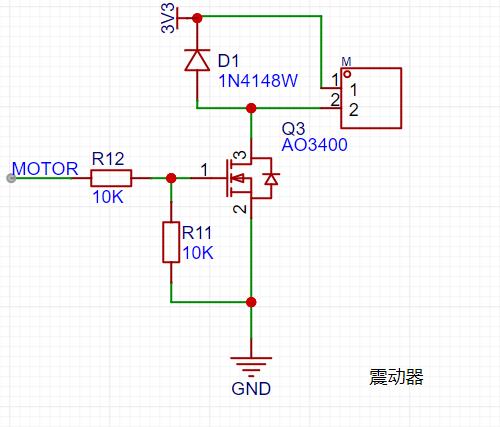
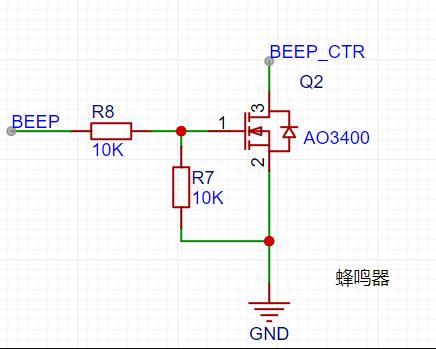
5.Screen driver
0.96-inch TFT color screen, Taobao's popular st7735 solution, software SPI driver, not hardware SPI driver; the drive speed is slightly slower, and when designing the UI, the hardware avoids refreshing the UI in a large area.
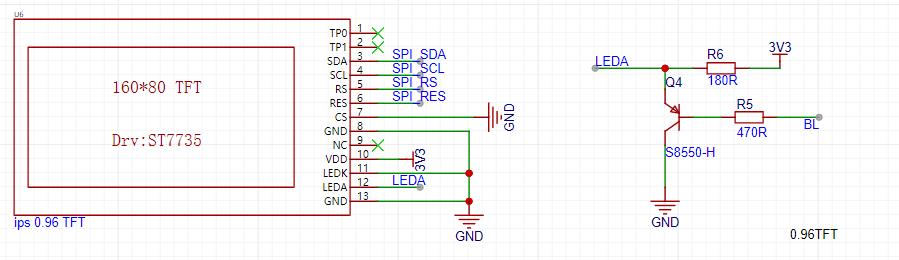
6. Touch button and switch circuit
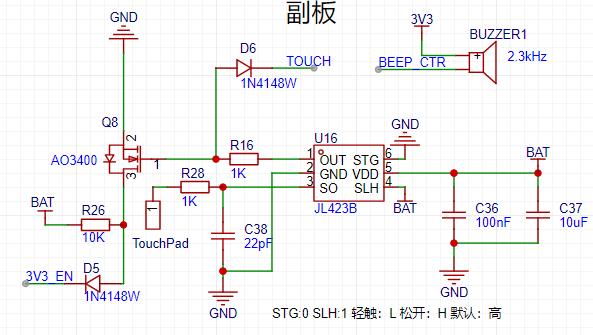
1) Power-on function: The product integrity is taken into consideration when designing, without adding any buttons, and using touch mode to power on and off. Boot method: 1. Touch and release: offline mode 2. Touch for 1 second: Internet mode. 3. It will automatically turn on when plugged in (1n4148w can be deleted if not needed).
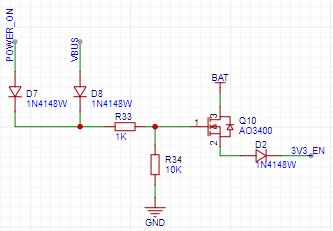
2) Touch button: 1. Return: With the screen facing up, touch for 1 second to return to the previous menu. 2: Shut down: Touch and hold for 3 seconds to shut down.
7.Lithium battery charging circuit
Generally, soft-pack lithium batteries come with overcurrent, overcharge, and overside protection circuit boards, so there is no need to consider the discharge circuit when designing. Of course, the onboard can monitor the battery voltage. When the voltage is less than 3.5V, it will prompt that the battery is low and automatically shut down. . The charging circuit still uses the popular TP4056 solution, with a maximum charging current of 1A. Considering the long-term use of the battery, R13 is modified to 2k, and the maximum current is 580ma. Please refer to the data sheet for details.

4. Shell and installation
1.3D printing
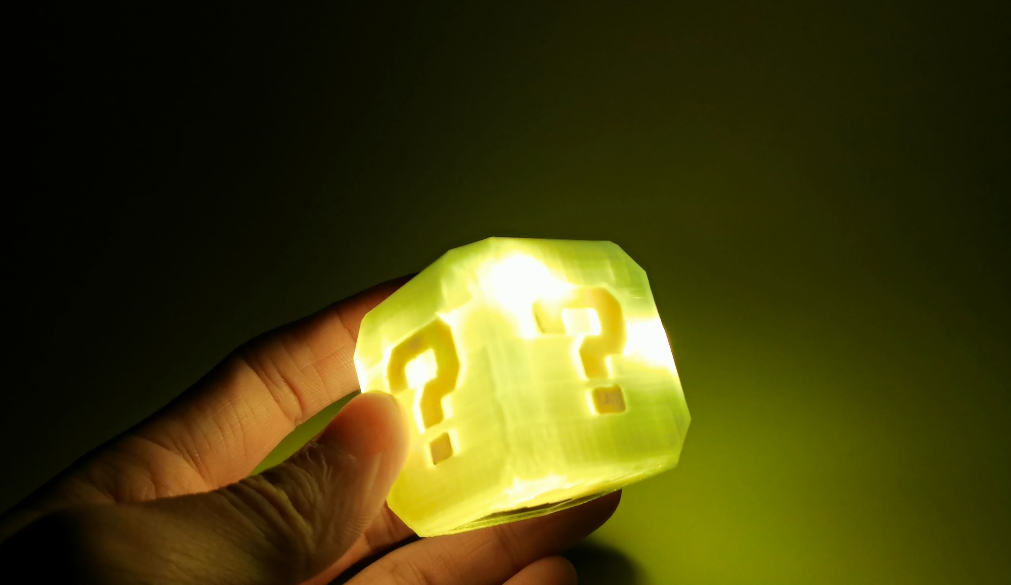
I only have a Dayu CC FDM printer that I assembled myself. I can only print two colors separately and then stick them together with glue.
2. Install accessories
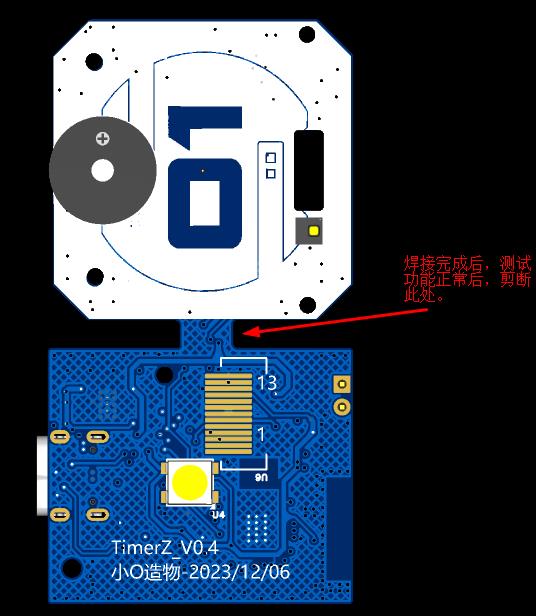
1) PCB: In order to save Jialichuang PCB printing, the main control board and touch panel are printed together. After they are obtained, they are cut with scissors and connected through FPC cables.
2) Accessories: 4 10mm*1.5mm strong magnets, 4 m1.6 screws.
5. Instructions for use and software burning
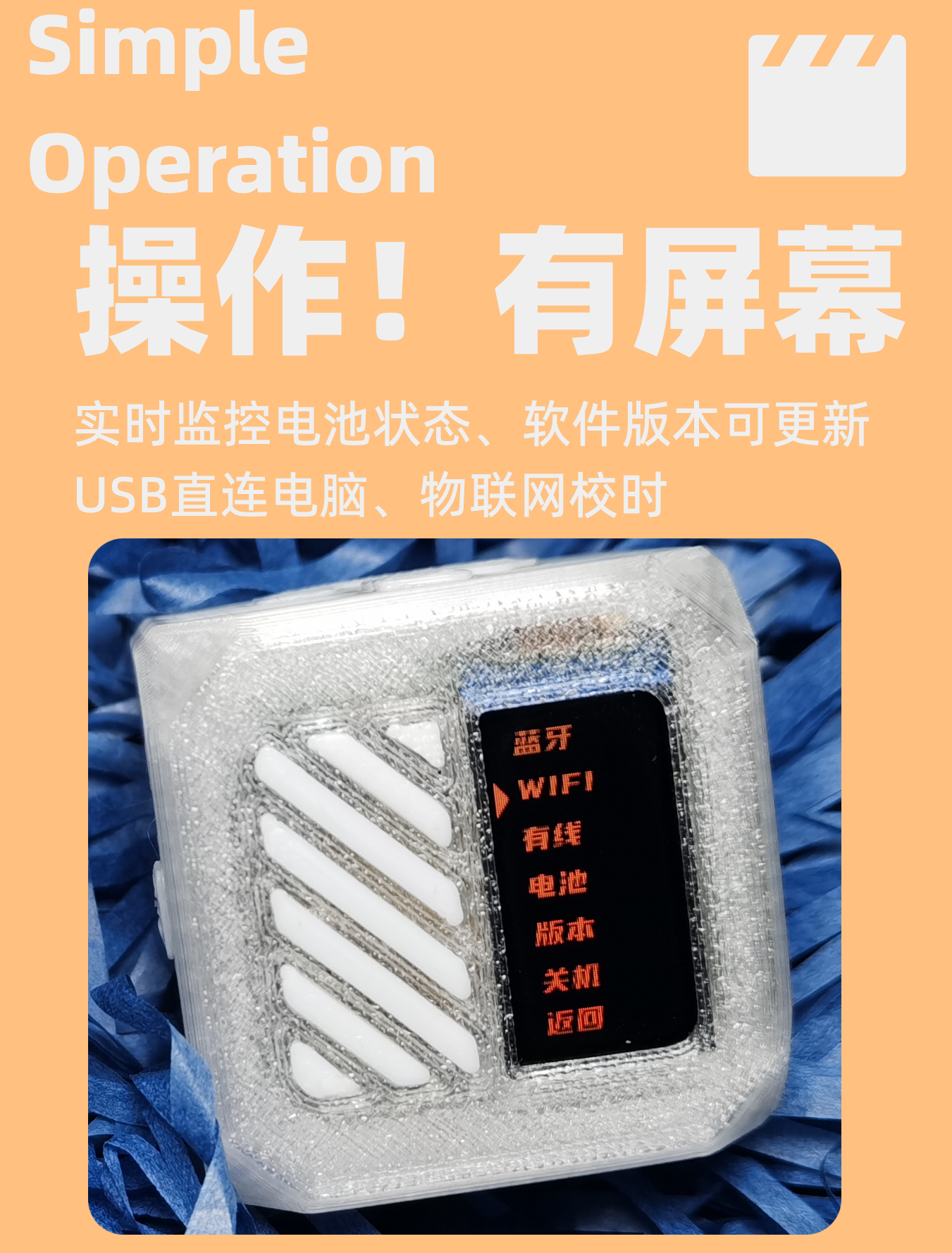
1.Interface operation
When operating the menu, keep the screen facing up.
1) OK: Tilt to the right.
2) Return: With the screen facing up, touch "01" on the back and you can return in 1 second.
3) Up key: tilt upward.
4) Down button: tilt downward.
5) Shut down: long touch "01", shut down in 3 seconds.
2. Software burning
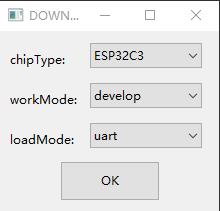
1) Software: flash_download_tool_3.9.2.exe
2) Step: Set as shown in the figure.

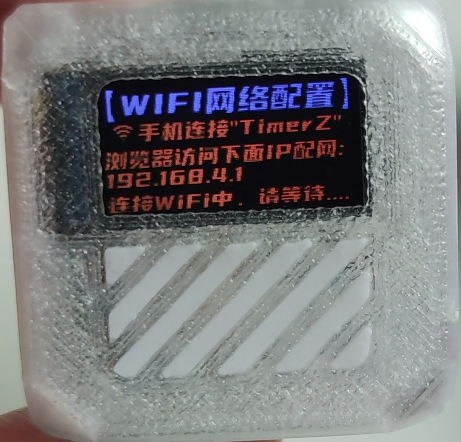
3.WIFI distribution network
Just follow the on-screen prompts step by step!
6. Reproduction instructions
1. Commercial use is prohibited. It took more than a month to make. It was not easy. The source code is not open source for the time being. Only bin files are provided.
2. Both the main control and Lis3dh are packaged in QFN. Beginners should be careful when welding . If the welding is not good, the probability of overturning is relatively high, and the resistor and capacitor are packaged in 0402.
7. Function demonstration
Click here to watch Bilibili demonstration video
Restricted by the file size limit of Open Source Plaza, please send a private message to the UP owner of Station B to obtain the latest version of the complete information!
Designed by 小O造物 (from OSHWHub)
Link:https://oshwhub.com/double_mumu/timer_z-zhi-neng-ding-shi-qi
Design Drawing
 The preview image was not generated, please save it again in the editor.
Intellectual Property Statement & Reproduction Instructions
This is an open-source hardware project. All intellectual property rights belong to the creator. The project is shared on the platform for learning, communication, and research only; any commercial use is prohibited. If your intellectual property rights are infringed on EasyEDA, please notify us by submitting relevant materials in accordance with the Rules for Complaints and Appeals of IPR Infringement.
Users must independently verify the circuit design and suitability when replicating this project. All risks and consequences are borne by the user, and the platform assumes no liability.
 Empty
Empty
Comment