

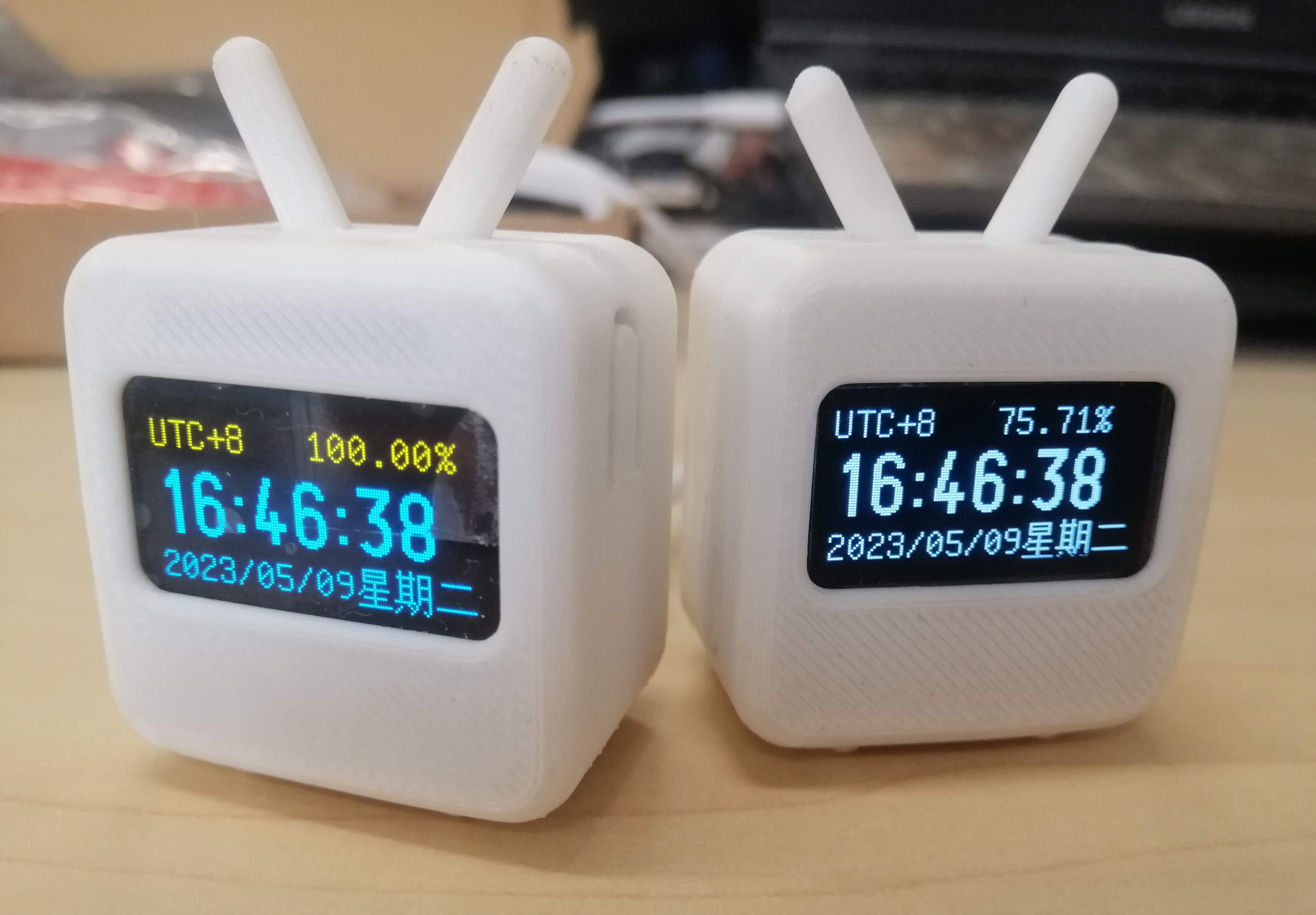
 Completed
0.96 inch OLED small TV
PRO 0.96 inch OLED small TV
License
:GPL 3.0
Description
The code usage modification in this project comes from:
https://github.com/flyAkari/ESP8266_Network_Clock
https://oshwhub.com/nanxiangxiao/esp826-clock_copy
Partial hardware introduction:
Master Control: ESP12F;
Screen: Using a 7P 0.96-inch OLED screen display, the screen uses SPI communication, which has a faster speed limit compared to IIC communication.
Battery: Built-in 3.7V-400mAh-702025 lithium polymer battery, with a battery life of about two hours.
Power Management: Using the ETA6003 power management chip, it has dynamic power path management function and can be used continuously without worrying about battery life loss. The indicator light flashes when charging, goes out when fully charged, and flashes when there is no battery.
Switch: with battery switch;
Battery power detection: Integrated ADC sampling circuit can measure battery power.
Partial welding assembly process:

Use a utility knife to make a cut along the front and back of the pinhole, and use two pliers to clamp the board on both sides of the scratch and shake it up and down to break it apart. Be careful when applying force.

First, reflow solder this surface.

Manual welding of remaining components (toggle switch, buttons, screen surface).

Test the fit between the small board and the rear cover shell.

Two plates are welded and fine-tuned vertically.

Visually vertical.

Screen soldering.

Take a look at the overall effect at this step.

Battery welding.

Assembly.

You can consider whether to glue the back cover. Recently, several small TV back covers have some small gaps, so I glued the back cover of one of them together.

Welding assembly completed.
3D rendering graph


ESP8266 Weather Clock Burning:
Download the attachment "[Code and Burning] ESP8266 Weather Clock _ Autonavi API_7.00.zip" and execute this batch file in the following path to complete the automatic burning.

ESP8266 Weather Clock Burning Display Effect:

Burning:
You can refer to the following open source projects for using Arduino burning programs and uploading web page files to SPIFFS using the ESP8266 Sketch Data Upload plugin.
https://oshwhub.com/duyes/0-96-oled-shi-zhong
https://oshwhub.com/nanxiangxiao/esp826-clock_copy
Firmware burning using NodeMCU-PyFlasher:
Install CH340 driver.
2. Use a data cable to connect the small TV and computer;
Three steps to enter download mode: ① Press and hold the upper button, ② Press and hold the lower button, ③ Release the lower button, ④ Release the upper button to enter download mode.
4. Unzip and open the NodeMCU-PyFlasher.exe file of "Programs and Burning Tools.zip" in the attachment as follows:


Distribution network:
After the first successful burning and resetting the small TV through the lower button, the following three interfaces will appear in order:


When the small TV starts, when the second interface appears, it will automatically enter the network distribution mode. At this time, the small TV will automatically create a hotspot named "wifi_link_tool". After connecting this WiFi with a mobile phone or computer, the network distribution page will pop up. The operation is shown in the following figure.


After clicking "Configuration complete, restart and jump", the small TV will automatically restart and connect to the network to obtain the time. The network configuration is completed. At this time, your mobile phone or computer and other devices can disconnect the WIFI of the currently configured small TV.
Regarding the issue of distribution network:
If the small TV still cannot obtain the time after the network connection is completed, you can try to restart the small TV (press and hold the button below to reset, that is, restart) under the premise of ensuring that the network can be connected to the Internet.
If the small TV needs to switch to WiFi and reconfigure the network, just press and hold the button on the upper side of the small TV for about 10 seconds while it is turned on to enter the network configuration mode.
Debugging:
The serial port assistant can be used to obtain information such as the date, time, battery voltage, and battery level of the small TV.

Designed by 磁阻教主 (from OSHWHub)
Design Drawing
 The preview image was not generated, please save it again in the editor.
Intellectual Property Statement & Reproduction Instructions
This is an open-source hardware project. All intellectual property rights belong to the creator. The project is shared on the platform for learning, communication, and research only; any commercial use is prohibited. If your intellectual property rights are infringed on EasyEDA, please notify us by submitting relevant materials in accordance with the Rules for Complaints and Appeals of IPR Infringement.
Users must independently verify the circuit design and suitability when replicating this project. All risks and consequences are borne by the user, and the platform assumes no liability.
 Empty
Empty
Comment